The $1.68 H100 that actually costs $3.37
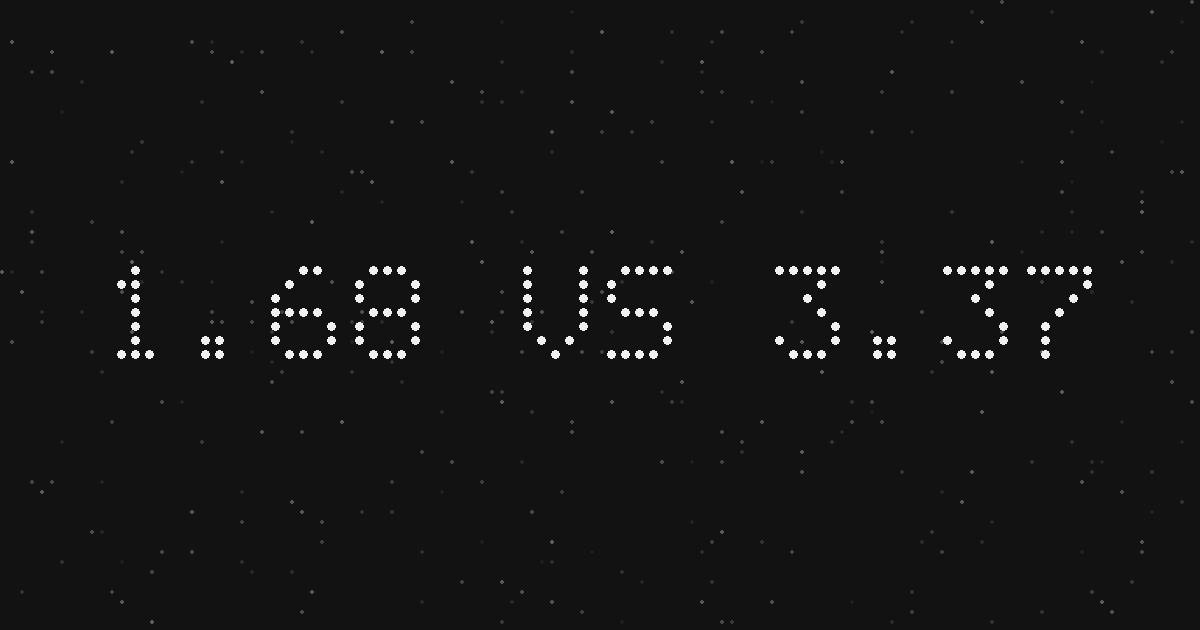
Every GPU pricing page shows you a number before it shows you the price. Latitude.sh presents its single-GPU H100 at $1.68 per hour, next to a control that reads Hourly, Monthly, Paid yearly. The default view looks like the hourly rate. It is not. It is the monthly commitment - $1,230 a month - divided by 730 hours and dressed in per-hour clothing. Click the toggle to Hourly and the same machine reprices to $3.37. The 8-GPU B300 node goes from $64 to $128, the 8-GPU RTX PRO 6000 from $24 to $48. Two clicks, every price on the page exactly doubles.
We verified this on September 22, 2026 against the live page, and it corrected our own panel: the rows we had been carrying for Latitude.sh were the commitment figures, understated by a factor of two. The fix is live and the receipts are on the provider page. But the lesson is bigger than one provider, because Latitude.sh is not doing anything unusual. They are doing the industry-standard thing, done unusually well: the cheapest defensible number gets the big font, and the billing period that produces it gets the small print.
The three-rate ladder
Most GPU pricing pages publish three rates for the same machine, whether they say so or not. On-demand hourly is what you pay with no commitment, the only rate that lets you leave after one hour. Monthly-commit is the on-demand rate with a discount for promising the machine a month of your business. Yearly-commit goes lower still. For the Latitude.sh H100 the ladder runs $3.37 on-demand, $1.68 monthly, $1.18 paid yearly - each step roughly half the previous one's pain for roughly double the lock-in. The rates are all honest. What is not honest is presenting the middle rung as the top one.
| Rate | Per hour | Commitment | Break-even vs on-demand |
|---|---|---|---|
| On-demand | $3.37 | None | - |
| Monthly | $1.68 ($1,230/mo) | 1 month | 365 hours of use |
| Paid yearly | $1.18 ($10,332/yr) | 12 months | Same 365-hour line, every month |
The break-even is the only number that matters
The commitment question has a clean answer, and it is 365 hours. At $3.37 on-demand, the 366th hour of a month is the point where the $1,230 monthly plan starts saving money. Below that line, on-demand wins and the discount is a mirage: a buyer running a week-long training job (168 hours) pays $566 on-demand but would owe the full $1,230 if they signed the monthly plan for the headline rate. Above the line - steady-state inference, a production endpoint that never sleeps - the monthly plan halves the bill and the on-demand customer is the one overpaying. The same 365-hour line holds across all three Latitude.sh GPU plans, because the discount is a flat two-for-one. Other providers set their own line; the arithmetic never changes.
This is why we track on-demand hourly in the panel and mark everything else. A comparison built on mixed billing periods is not a comparison - it is two discounts arm-wrestling. When a provider's page leads with a number that looks half a market too cheap, the first question is not which GPU it is. It is which months you just agreed to.
The buyer's checklist
- Find the billing toggle before reading any price. If the page does not have one, check whether the number sits next to a monthly total - that pairing is the tell.
- Convert everything to on-demand hourly before comparing providers. A monthly rate divided by 730 is a marketing figure, not a market price.
- Compute your break-even: monthly commitment divided by the on-demand rate. If your workload sits below it, the discount is a cost.
- Ask what happens at hour 731. Providers that bill on-demand by default keep charging the same rate; commitment plans renew silently.
- Treat (from) floors as advertisements. They are real prices for a configuration that may not exist when you arrive.
The GPU market has a reputation for opaque pricing, and most of it is undeserved - the rates are published, the receipts exist. The opacity lives one level down, in which rate a page chooses to show you first. Read the toggle, not the headline.